Split PDF
✨ 100% Secure browser processing, zero server upload 🛡️
Each page of the PDF document will be extracted and saved as a separate PDF file.
Automatically splits the PDF exactly in half.
Control left-side workspace features.
Set a base filename for your split files.
Select how to receive multiple files.
Stamp a custom text on all split pages.
Correct orientation of scanned documents.
Split PDF – 100% Free, Fast & Secure PDF Separator
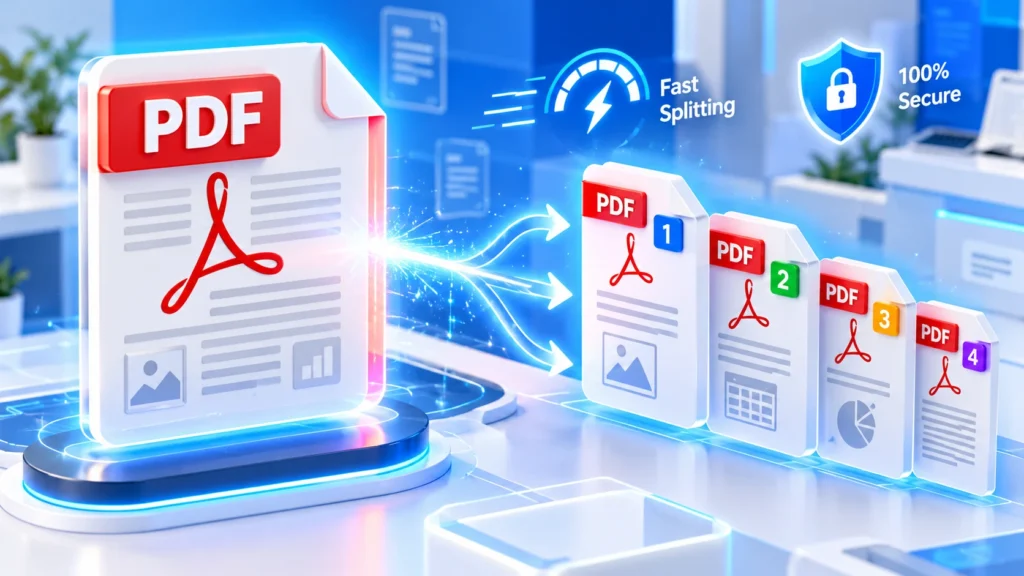
Welcome to the ultimate digital workspace. If you need to manage massive documents, our secure platform provides the perfect solution. You can seamlessly separate, extract, and divide files directly within your browser. Explore the incredible features below and discover how effortless professional document management can truly become for everyone.
🚀 Fast and Free Page Separation
Are you looking to split PDF documents quickly without paying expensive subscription fees? Our advanced web tool allows users to extract pages instantly. Experience lightning-fast processing speeds completely free of charge, without ever downloading any dangerous or heavy software.
🛡️ Absolute Privacy and Data Security
Your privacy remains our utmost priority always. When you split PDF files using our platform, everything happens directly within your local browser. We guarantee zero server uploads, meaning your sensitive digital documents remain completely confidential and are never stored online.
🗂️ Extract Specific Pages Effortlessly
Sometimes you only need a single chapter from a massive digital book. Our system lets you split PDF files to extract pages effortlessly. Create a new custom document with only the relevant information you need for work today.
📁 Divide Large Files By Size
Struggling to email a massive document because of strict attachment limits? You can seamlessly split PDF files into smaller chunks based on specific file sizes. Enter your desired megabyte limit, and our system will instantly generate perfectly sized separate documents.
✨ Smart Half and Half Division
Scanning a physical book often results in dual-page spreads that are very hard to read on mobile devices. Utilise our smart division feature to automatically cut the entire document exactly in half, enhancing your digital reading experience to perfection.
☁️ Direct Cloud Storage Integration
Stop wasting your precious local hard drive storage space. We integrated Google Drive and Dropbox directly into our interface. You can upload files directly from your cloud accounts and seamlessly save newly generated documents back to the cloud today.
👑 Advanced Premium Features Included
Why pay for premium desktop applications? We offer exclusive advanced functionalities absolutely free. Apply custom text watermarks to protect your intellectual property, instantly rotate awkwardly scanned pages, and flatten fillable forms to keep your valuable data permanently secure.
⚡ Lightning Fast Browser Processing
Unlike older legacy platforms that force you to wait in long server queues, our modern architecture processes everything locally. When you decide to split PDF documents here, the core extraction happens instantly using your device’s native processing power for efficiency.
📑 Custom Range Extraction Mode
Define multiple custom ranges simultaneously to gather distinct sections of a lengthy corporate report. For instance, extract pages one to five and ten to twelve instantly. You can choose to download them individually or merge them into one consolidated file.
🏢 Perfect for Business Operations
Corporate professionals frequently deal with extensive legal contracts and financial reports. You can efficiently split PDF files to share specific contract clauses with relevant departments. Maintain strict corporate confidentiality by only distributing the exact pages your designated team members need.
🎓 Ideal for Students and Teachers
University students and educators constantly manage heavy digital textbooks and lengthy research papers. Easily split PDF documents containing crucial assignment questions or specific reading materials. Create customised study guides that save tremendous time during intense academic exam preparation and revision.
⚖️ Crucial for Legal Professionals
Lawyers often handle massive case files containing hundreds of interconnected documents. Our reliable platform helps legal teams separate PDF pages effectively to organise evidence, court filings, and client records. Keep your digital legal archives meticulously structured and easily accessible anytime.
🏥 Healthcare Document Management
Medical staff must handle patient records with maximum security and strict compliance. Because our system guarantees zero server uploads, medical administrators can safely divide large PDF files containing sensitive medical histories without violating data privacy regulations or risking patient confidentiality.
🎨 Creative Agency Workflow Enhancement
Designers and creative agencies frequently generate massive portfolio presentations. Use our free PDF splitter to isolate individual design mockups or specific client proposals. Deliver highly targeted, lightweight presentations to your prospective clients without exceeding frustrating email attachment size limits today.
🧑💻 Developer-Friendly User Interface
We engineered this platform with a clean, intuitive, and highly responsive graphical user interface. You absolutely do not need advanced technical expertise to figure out how to split PDF documents here. The straightforward layout ensures a seamless, frustration-free experience.
✅ Superior High-Quality Output
We guarantee that extracting pages will never degrade your original document’s visual fidelity. Whenever you split PDF documents here, the tool preserves the exact original resolution. Your final separated documents will look absolutely identical to the original high-quality file.
🗜️ Built-in File Compression Option
Sometimes separating pages is not quite enough to meet strict upload limits. We integrated an optional compression toggle directly within the size extraction tab. You can split PDFs and reduce overall file size significantly while maintaining perfect professional email readability.
📦 Convenient ZIP Archive Downloads
When you choose to split a PDF into multiple files simultaneously, downloading them individually becomes incredibly tedious. Our intelligent system automatically bundles your newly separated documents into a single, organised ZIP archive. Download everything instantly with just one convenient button click.
🔄 Interactive Visual Document Preview
Never guess which specific pages you are actually extracting. Our interactive digital canvas renders a crystal-clear preview of your uploaded document immediately. Verify your total page count and visually confirm your selected ranges before initiating the final extraction process.
⚙️ No Installation or Registration
Say goodbye to bloated desktop software that drastically slows down your computer. We never ask for your email address to split PDF files online. Simply open your web browser, upload your document, and start processing your important pages immediately today.
🌐 Accessible From Anywhere Globally
Whether you are working from a local coffee shop or travelling across international borders, our modern platform is universally accessible. As long as you have a stable internet connection, you possess the ultimate power to split PDF files perfectly always.
📈 Continuous Free Platform Updates
Our dedicated development team constantly monitors core web vitals and user feedback to implement seamless platform enhancements. When you split PDF pages using our interface, you are utilising the most optimised, up-to-date document processing technology available right now.
🌍 Environmentally Friendly Digital Solution
By managing your documentation digitally and choosing to extract pages from PDF files electronically, you actively reduce unnecessary paper printing. Join us in promoting sustainable, eco-friendly business practices by handling all your massive document separation tasks entirely online.
📱 Fully Mobile Optimised Interface
We meticulously engineered this platform to function perfectly on smaller touch screens. You can seamlessly split PDF documents using your smartphone or tablet while commuting. The responsive design guarantees that all advanced settings remain easily accessible and highly functional everywhere.
How To Split PDF for Free
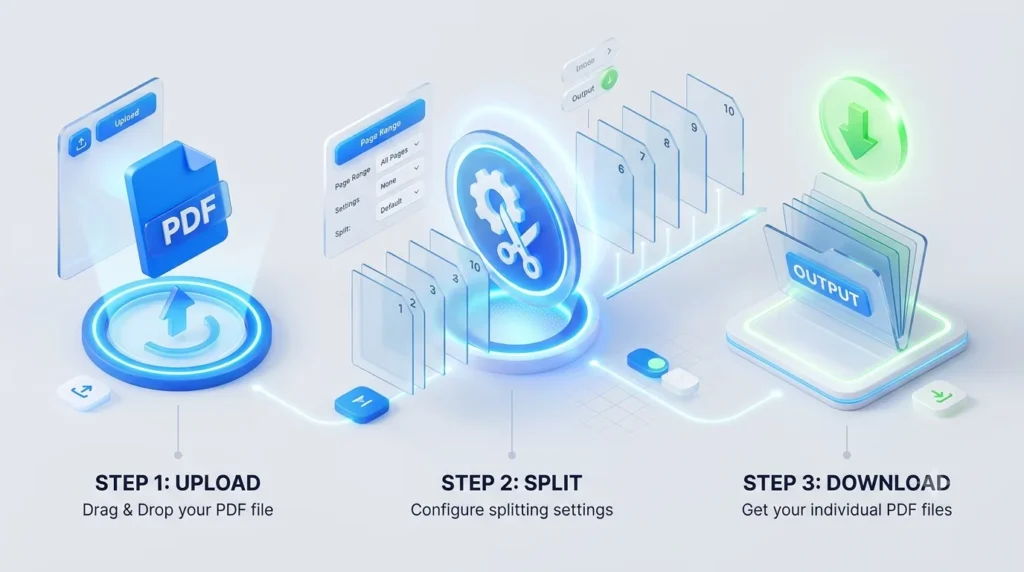
1. Drag and drop your file
Click the main upload button or utilise the cloud icons to securely import your chosen document directly into our specialised, high-speed web platform.
2. Choose your extraction method
Navigate to the settings sidebar and precisely select between custom ranges, specific page numbers, or file size division based on your unique document separation requirements.
3. Configure your premium settings
Apply professional text watermarks, flatten fillable form fields, or rotate awkwardly scanned pages using the advanced tab to perfectly customize your final digital output securely.
4. Split and download instantly
Hit the prominent split button and watch our blazing-fast browser engine process your request, then download your newly organized files directly to your device.