Merge PDF
🚀 Fast, Free & Easy Online PDF Merger 🔒
✨ 100% Secure browser processing with zero server upload 🛡️
📑 Seamlessly combine PDF files, resize, and transform your documents with our PDF merger free 🌟
Upload your PDF Files
Drag and drop your files here or click to browse
🎉 PDF Merged Successfully!
Name: document.pdf
Files Combined: 0
⚡ Merge PDF Online – Combine PDF Files Quickly with Our Free PDF Merger
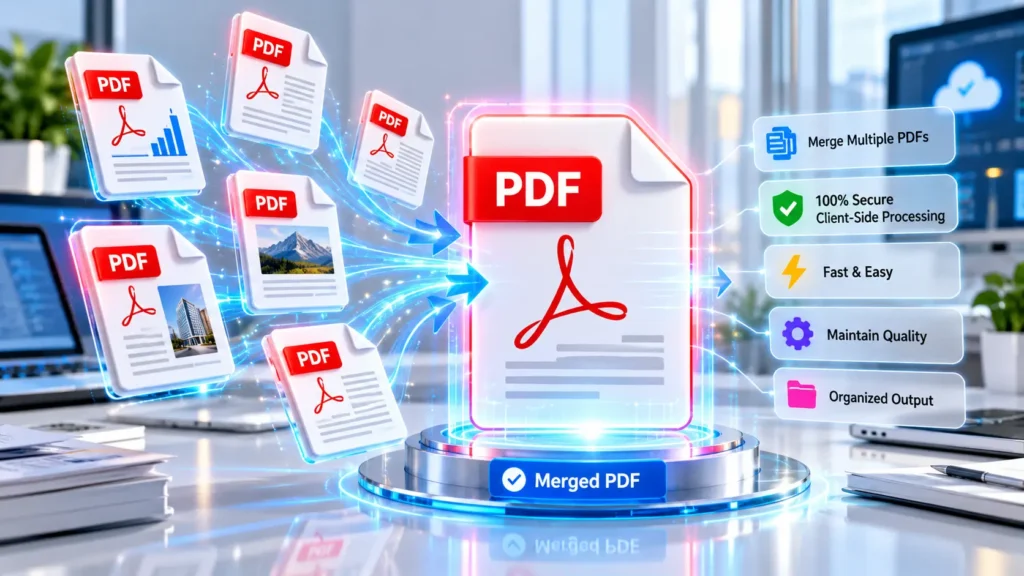
🌟 The Ultimate Document Management Solution
In today’s fast-paced digital workspace, managing scattered physical files is practically obsolete. Professionals and students alike need a reliable way to digitise and organise their paperwork. When you use our tool to combine PDFs online, you experience seamless document handling. Our advanced PDF merger transforms scattered reports and study notes into professional documents instantly. Experience the pinnacle of document management tailored for modern Indian professionals today.
📑 Understanding the Free Merge PDF Utility
When managing numerous digital records, you often need to consolidate them. A merge PDF tool allows you to select several individual documents and combine them into a single, structured file. Instead of sending multiple separate attachments via email, you can merge multiple PDFs to create one accessible document. This functionality helps professionals organise business records efficiently. Users simply upload their chosen files, review the arrangement, and initiate the process to Merge PDF files directly within their active web browser window.
📂 Exploring Practical Reasons to Combine PDF Files
There are many practical situations where joining separate documents proves highly beneficial. Students might combine several assignment files with reference materials. A freelancer could join invoices alongside supporting project documents. Administrative teams frequently combine application documents and identification records into one project report. Creating a single presentation from various scanned documents ensures your audience receives all necessary information sequentially. Whenever you decide to merge PDF files, you actively reduce digital clutter and simplify the review process for the receiving party.
🛠️ How to Merge PDF Files Online
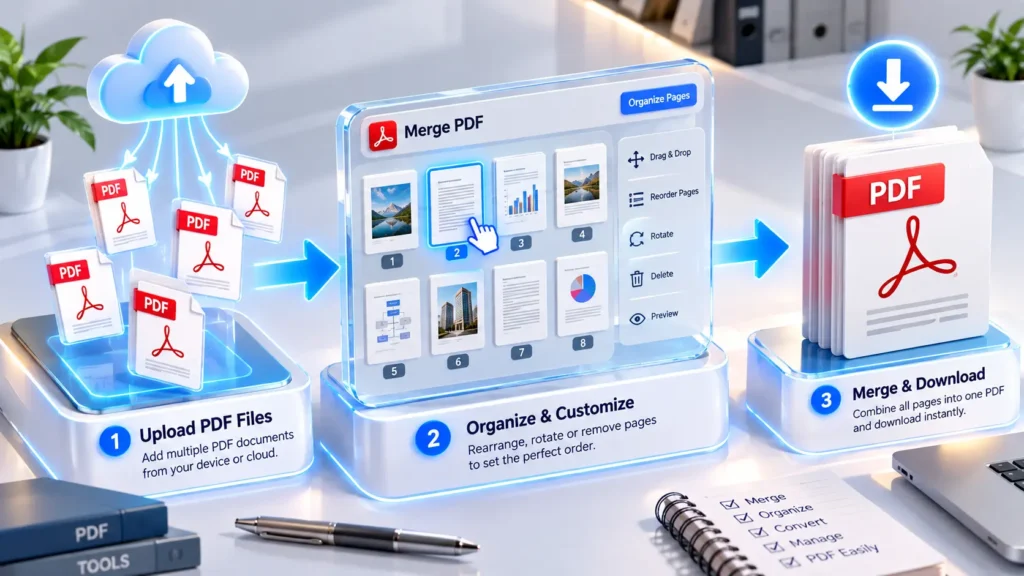
Understanding how to merge PDF documents using our platform is incredibly straightforward. Begin by selecting your files through the upload button or fetching them via cloud storage integration. Next, visually arrange the uploaded pages into your desired sequence. Once ordered, you can easily adjust relevant layout settings, enable optical character recognition, or apply a custom text watermark. Finally, choose an appropriate filename and execute the process. Within moments, you can safely download the resulting PDF directly to your local device storage.
🖥️ How Local Browser Processing Operates For Users
This platform functions directly within your internet browser. Because processing takes place locally on your device, the tool is designed to reduce the need to upload PDF files to a remote server. When you use an online PDF merger, processing time can depend heavily on your device performance, browser resources, document complexity, and the number of pages. While it operates efficiently, highly complex documents may require slightly more rendering time. This architecture provides a convenient method to merge PDF documents
❓ Is Processing With an Online PDF Merger Private?
Handling sensitive information requires responsible data management. Because this free PDF merger relies on local browser processing, it minimises external data transmission. This approach offers a practical way to merge PDF documents containing private reports, financial documents, or personal records. However, users should always exercise standard digital precautions. While the system avoids retaining uploaded files on external databases, you must still ensure your local network and device remain secure when you merge PDF online, free of external tracking.
↕️ Why Arranging Your Documents Properly Matters
Before you merge PDF into one consolidated file, arranging your uploaded files in the correct sequence is crucial. The order dictates how the final document reads. For example, a cover page must precede the main report, and a contract should appear before its appendices. Our interface allows you to visually order your items. Taking a moment to verify this sequence ensures the narrative flows logically. When you properly arrange pages, you merge PDF files into a professionally structured format.
📐 Adjusting Document Page Size and Orientation
Source files frequently possess varying dimensions. When you merge PDF into one file, maintaining a consistent presentation helps readability. The tool offers page orientation options, allowing you to select standard portrait pages or wider landscape pages based on your content. Additionally, size controls let you standardise the canvas to common formats. If you standardise differing dimensions, resizing can affect the final appearance. Reviewing these layout settings carefully helps ensure your final document looks appropriate after you merge PDF pages.
📏 Setting Margins for a More Consistent Layout
Applying consistent margins provides essential breathing room around your text and images. When merging documents from diverse sources, some pages might lack adequate borders, causing text to sit uncomfortably close to the edge. Adjusting the margin options introduces uniform white space across the combined document. This subtle adjustment dramatically improves overall readability and visual cohesion. Whenever you merge PDF files, applying appropriate margins helps transform a fragmented collection of individual notes into a polished reference document.
🖼️ Managing Final Output Quality and File Size
If your source documents contain rich graphics, modifying the image quality settings can prove beneficial. High-resolution elements can create an unnecessarily large file size. Lowering the image quality slightly reduces the overall storage footprint, which is helpful if you plan to share the document via email. Conversely, preserving maximum quality is necessary for printing detailed diagrams. Understanding these settings ensures that when you merge PDF files, the resulting combination balances reasonable file size with acceptable visual clarity for your audience.
🔍 Making Your Consolidated Document Fully Searchable
The tool includes an optional feature to make your document searchable using optical character recognition. This attempts to recognise text from suitable scanned documents or -based files, making the content selectable. While highly useful, text recognition quality can depend on image clarity, handwriting, font quality, background noise, and document layout. It may not perfectly transcribe every single character, especially on degraded scans. Enabling this function before you merge PDF files adds practical retrieval capabilities to your digital archive.
🔐 Adding Password Protection for Access Control
If you are handling sensitive business records, applying password protection offers an additional access control measure. By configuring a password, you restrict unauthorised viewers from casually opening the file. While it serves as a robust deterrent, it should be viewed as one part of a comprehensive security strategy rather than a guarantee against targeted decryption. Enabling this feature ensures that after you merge PDF documents, only individuals possessing the correct credentials can view the contents of the final file.
🏷️ Applying Custom Text Watermarks to Pages
Adding a text watermark provides a clear visual indicator of a document’s status or ownership. You can overlay custom phrases such as confidential, draft, or review version across your pages. This feature is particularly useful for internal copies or branded reports shared with external clients. While a watermark does not offer complete copyright protection, it clearly establishes the context. Applying a watermark as you merge PDF files ensures that your branding remains consistently visible throughout the document.
❓ Can I Merge PDF Files on Mobile Devices?
Many users need to manage documents away from their desks. Because this free Merge PDF tool relies on browser-based processing, it functions smoothly on smartphones and tablets. No dedicated application installation is necessarily required. You simply access the site via your mobile browser, select your files, and merge PDF directly. This mobile usability ensures that you can always merge PDF files conveniently while travelling or working remotely from home.
❓ Does Combining Documents Change Visual Quality?
Merging primarily links existing pages together sequentially. However, the final appearance can depend upon the chosen page settings and the resolution of your uploaded materials. Standardising dimensions or adjusting image compression settings might alter the original crispness of detailed graphics. Therefore, users should always review the final document to verify that formatting remains intact. Selecting appropriate configurations before you combine PDF files helps preserve acceptable visual integrity for professional use.
🚀 Start Organising Your Digital Workflow Today
Managing tasks requires highly efficient utilities. Whether you join files for academic submissions or consolidate business invoices, our platform provides a completely straightforward workflow process. Simply configure your desired formatting settings, choose a custom filename, and merge PDF documents instantly. Explore the platform right now to discover exactly how easily you can merge PDF files and maintain an exceptionally organised digital workspace.
🔗 Enhance Your PDF Workflow with More Powerful Tools
Need to do more with your documents after creating or converting them? Explore our collection of convenient PDF utilities designed to make everyday file management faster and easier. Compress PDF can help minimise file size for smoother sharing and storage, while Split PDF lets you divide a document into manageable parts. For removing unwanted pages, PDF Page Remover offers a simple solution. You can also turn plain text into a polished document with Text to PDF or adjust document boundaries using Crop PDF. Together, these tools give you a flexible toolkit for organising, refining, and preparing your digital documents with ease.
Absolutely. Our utility platform is entirely free of charge for all users globally. You will not encounter any hidden fees, unexpected paywalls, or strict daily usage limits when processing files. You can utilise our PDF merger platform to combine as many documents as your professional or academic workload demands. We constantly strive to provide premium productivity utilities without putting any financial burden on our valued website users.
Absolutely. Our utility platform is entirely free of charge for all users globally. You will not encounter any hidden fees, unexpected paywalls, or strict daily usage limits when processing files. You can utilise our PDF merger platform to combine as many documents as your professional or academic workload demands. We constantly strive to provide premium productivity utilities without putting any financial burden on our valued website users.
Yes, your files are completely safe and secure. Our platform operates on a strict zero-server upload policy. This means when you merge PDF files, the entire combination process happens locally inside your device’s web browser. Your sensitive financial, medical, or corporate data is never transmitted across the internet to our servers. Once you close the browser tab, all temporary data is permanently wiped from your system memory.
🎯 Conclusion: Elevate Your Digital Workflow
In today’s fast-paced digital landscape, efficiency and security are non-negotiable. Our premium PDF merger empowers you to combine multiple documents seamlessly without sacrificing quality or privacy. By processing everything locally inside your browser, we guarantee absolute data confidentiality and lightning-fast speeds. Say goodbye to scattered files and expensive software subscriptions. Streamline your professional and academic life today with our 100% free, reliable, and user-friendly document management solution. Experience true digital organisation instantly.