Compress PDF
- 🚀 Fast, Free & Easy Online Compressor 🔒
- ✨ 100% Secure browser processing with zero server upload 🛡️
- 📄 Seamlessly compress your PDF files into high-quality sizes 🌟
Upload your PDF
Drag and drop your files here or click to browse
Compression Level
Compressing PDF... 0%
PDF Compressed Successfully!
Target Size Achieved: 200kb
🌟 Reliable Compress PDF Web Solution
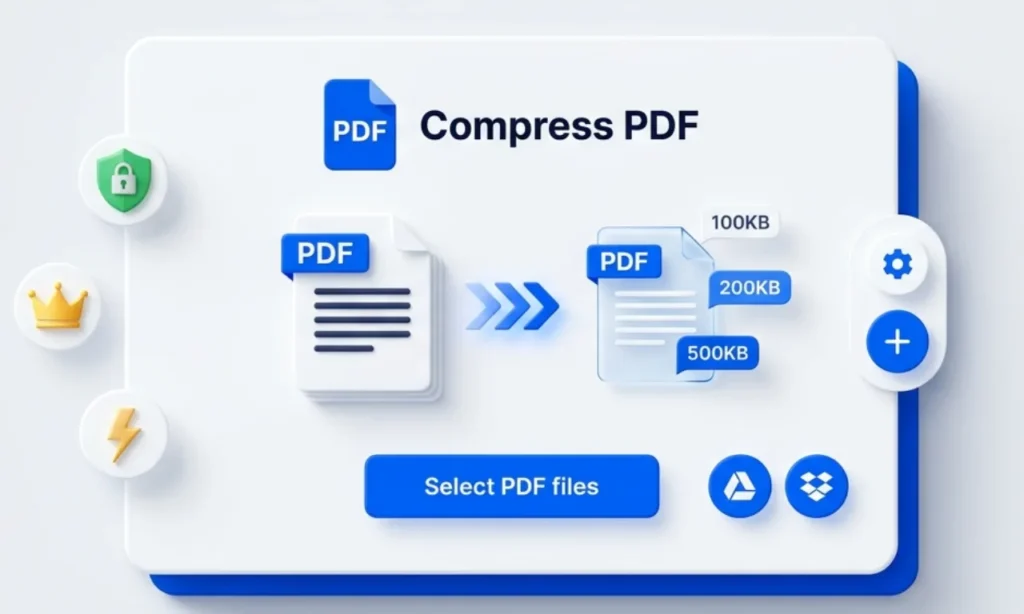
💎 PDF Compressor Free With Premium Features
Most online utilities lock their best tools behind expensive monthly subscriptions or add ugly watermarks across your pages. We believe essential document management should remain open and genuinely free for everyone. Every single premium feature on our platform is completely free with zero hidden charges. From exact 100kb calibration to searchable OCR and password security, you enjoy full utility without paying anything. Because everything processes privately inside your browser without account registrations or file restrictions, this remains the most dependable choice for everyday digital paperwork.
🌟 Instant Browser-Based PDF Compressor
Waiting for heavy documents to upload over unstable mobile networks wastes valuable working hours. Our online PDF compressor runs straight inside your web browser, cutting out slow external servers completely. Whether you are preparing urgent GST invoices or university admission forms, you can compress PDF records in a couple of seconds. The local script strips out hidden file bloat right on your screen. Everything finishes right before your eyes, helping busy Indian professionals meet strict portal deadlines without any stress.
🚀 Smart File Size Reduction Engine
Smartphone scanner apps usually create oversized documents that official web portals reject. When you need to shrink a bulky, compress PDF file down to a manageable size, ordinary tools often ruin the page layout. Our smart engine cleans up duplicate font data and unused metadata streams while keeping your original formatting intact. You can compress PDF agreements, project reports, and bank statements with total confidence. No heavy software installation is required on your office computer or phone.
🔒 Complete Local Browser Data Privacy
Sending personal tax returns, Aadhaar cards, or company balance sheets to unknown third-party servers is always risky. Unlike regular websites that store your paperwork on remote cloud drives, our PDF compressor keeps every single byte inside your own device’s memory. You can safely compress PDFs documents offline inside your active browser tab without worrying about data leaks. Once you close the window, all temporary cache files disappear forever. It is the safest choice for chartered accountants, lawyers, and banking staff.
💯 Crystal Clear Text And Graphics
Nobody wants a shrunken document where signatures look blurry and small table numbers become impossible to read. Many free utilities crush image resolution so badly that verification officers reject the application outright. When you use our platform to compress PDFs certificates or architectural drawings, the text remains razor-sharp on both mobile screens and printed paper. We target invisible structural data rather than ruining your visual pixels. Your official stamps, barcodes, and passport photos stay clear and easy to verify everywhere.
☁️ One-Click Google Drive Import
Most people today keep their important scanned files backed up on Google Drive rather than local phone storage. Downloading a heavy document just to re-upload it wastes both time and mobile data. Our built-in Google Drive button lets you pick and compress PDF files straight from your cloud folders in two clicks. It is a huge relief when you are travelling and working on a tight data pack. You pick the file, shrink it down, and save the clean copy.
📦 Direct Dropbox Cloud Folder Sync
Office teams and freelance designers frequently share heavy client portfolios through shared Dropbox folders. Instead of cluttering your desktop download folder with multiple file versions, you can connect directly through our Dropbox button. This smooth connection lets you select any compress PDFs file from your team workspace and shrink it right inside your browser window. Once processed, the lightweight version is ready for instant email sharing. Managing shared office documents becomes much faster, cleaner, and completely free of manual steps.
⚙️ Exact 100kb Target Size Presets
Government recruitment boards and scholarship portals are notorious for strict upload limits. One portal demands a PDF compressor output of 100 KB, while another asks you to compress PDF to 200 kb or compress PDF to 500 kb for multi-page annexures. Instead of guessing with random sliders, our settings panel gives you three presets: Extreme (100kb), Recommended (200kb), and Less (500kb). You simply pick the exact kilobyte cap required by your portal guidelines, and the tool hits that target size on the first try.
🎨 Smart Black And White Conversion
Colour scans carry a lot of extra digital weight that most official applications do not even need. When you are uploading old property deeds, court affidavits, or lengthy study notes, colour data only slows down your work. Ticking our Convert to Grayscale box strips out heavy colour channels and turns the pages into clean, high-contrast black and white text. This simple option helps you compress PDF bundles down to the smallest possible size while making faint ink much easier to read.
🔍 Built-in Searchable OCR Technology
A regular scanned file is basically a flat picture of a page, which means you cannot search for words or copy sentences from it. Most platforms charge a monthly fee for Optical Character Recognition, but we include it for free in our settings menu. When you enable OCR and compress PDFs scans, the tool reads the printed letters and makes the entire document searchable. Students and legal researchers can find names, dates, and clauses in seconds without typing anything manually.
🛡️ Custom Filename And Password Lock
Renaming downloaded files and locking confidential records usually requires two or three different software tools. Our settings panel combines file renaming and password encryption into one clean step. Before you hit the button to compress PDF salary slips, medical reports, or client contracts, you can type a custom filename and set a strong password. Anyone trying to open the downloaded document will need your secret password first. It saves you extra steps and keeps private business records safe on email.
📄 One Click Interactive Form Flattening
Editable forms with digital signatures, text boxes, and checkboxes can easily break or get altered when opened on different computers. Checking the Flatten PDF option in our menu locks every fillable box and signature into a permanent, uneditable page layer. When you compress PDF application forms or signed vendor quotations with flattening turned on, nobody can accidentally delete or change your entries. Your final file looks identical across every viewer and passes strict verification checks at government and corporate offices.
📱 Works Smoothly Across All Devices
You do not need an expensive laptop to fix an oversized document when an urgent deadline is minutes away. Our online PDF compressor works smoothly on budget Android phones, iPhones, tablets, Windows PCs, and Macs without downloading any app. Whether you are sitting at a cyber cafe or filling out an exam form on your phone, you can compress PDF files in seconds. Simply open Chrome or Safari, pick your file, adjust the settings, and save the reduced copy immediately.
🎓 Built For Indian Exam Aspirants
Every year, lakhs of Indian students applying for UPSC, SSC, IBPS, and state board exams face last-minute upload errors because their scanned marksheets are too big. Instead of paying cyber cafe fees for basic file resizing, students can use our PDF compressor 100 kb preset for free. You can compress PDFs degree certificates to 200 KB or compress PDF caste and domicile proofs without losing roll number clarity. Upload your documents on the first attempt and focus completely on your preparation.
💼 Ready For Corporate Tax Filings
Business owners, CA firms, and legal teams deal with bulky audit reports, MCA filings, and tender documents every single day. Email servers and government tax portals quickly block attachments that cross allowed megabyte limits. Our free PDF compressor helps office teams compress 500 KB compliance files and shrink any heavy PDF file without hurting table readability. Send clean, lightweight financial reports to clients and tax authorities right on time without paying for expensive desktop software subscriptions ever again.
🛠️ How To Compress PDF
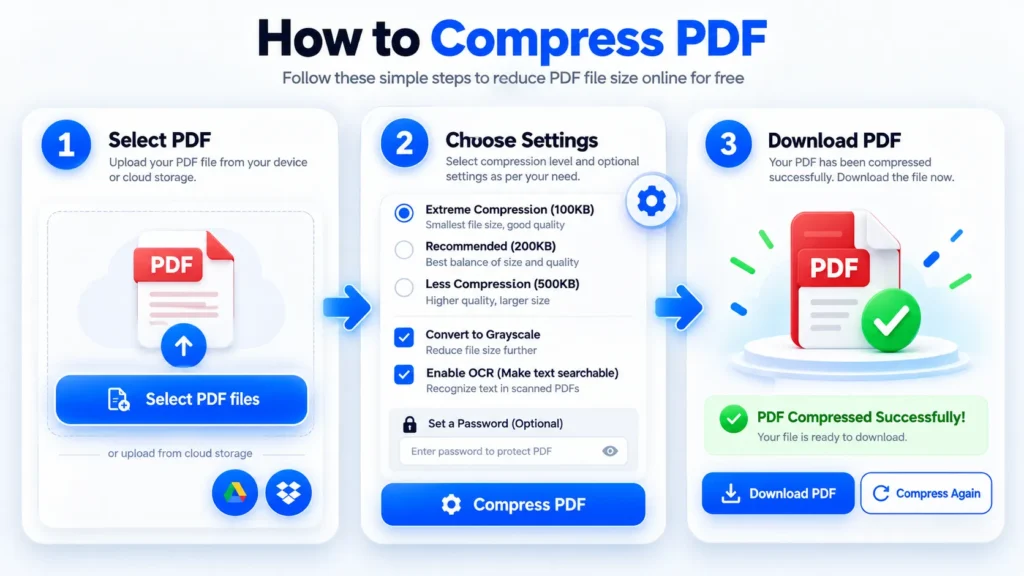
Using our free PDF compressor online takes less than ten seconds from start to finish. First, click the blue Select PDF files button to upload a document from your device, or use the circular Google Drive and Dropbox icons aligned right below it. Next, tap the floating gear icon on the right edge to open compression settings. Here, select your exact 100kb, 200kb, or 500kb preset, and optionally enable Grayscale, searchable OCR, Flatten PDF, custom filename, or password protection. Finally, press the Compress PDF button at the bottom. Once completed, click Download PDF on the left or Compress Again on the right to start fresh.