PDF to image
Convert PDF to image instantly.
Turn your documents into high quality images.
Upload your PDFs
Drag and drop your files here or click to browse
PDF File Loaded
Ready to convert to images
Converting PDF...
Extracting and rendering pages to images
Image Editor
✨ Transform Documents Easily With Our Free PDF to image Tool
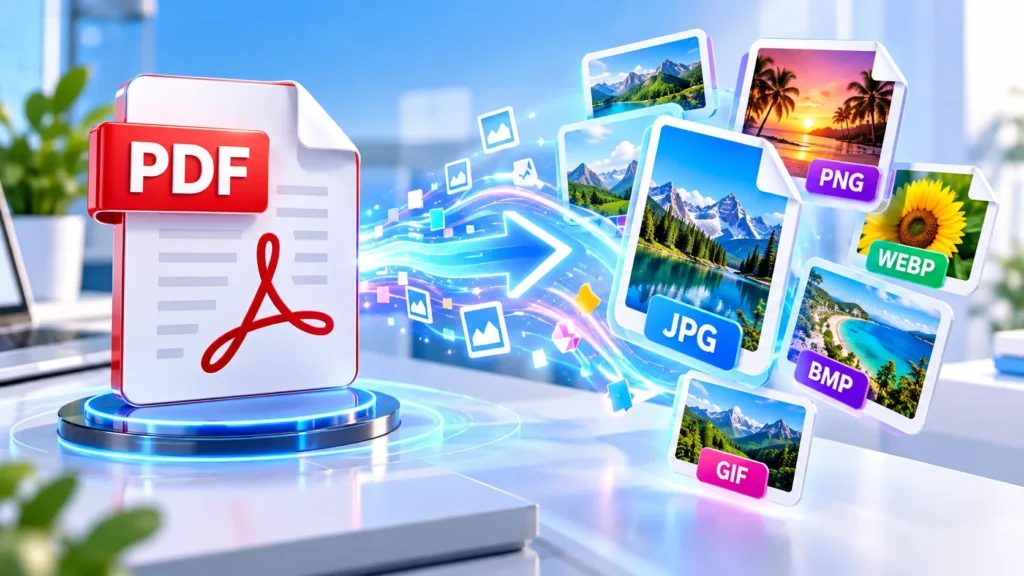
Do you need to extract visual content from a document quickly? Using a reliable PDF to Image converter is the most efficient way to turn static documents into accessible graphic files. Our completely private PDF to Image tool allows you to instantly transform pages into versatile formats like JPG, PNG, or WebP. Whether you are preparing website visuals, sharing specific document sections, or editing complex graphics, this utility provides complete control without requiring software installation.
🖼️ What Is a PDF to Image Converter?
A PDF to Image converter is a powerful browser-based utility that extracts pages from document files and turns them into graphic files. While documents are excellent for maintaining complex layouts, they are very difficult to embed into websites. Using a reliable PDF to Image converter helps transform strict documents into flexible visuals. This process allows immediate viewing and easier online publishing without needing specialised document reading software installed locally.
🔄 Why Convert PDF Pages to Images?
There are very practical reasons to convert PDF pages to images. You might need to share a specific visual through a messaging application that struggles with document rendering. Alternatively, you might upload quick visual previews to a professional portfolio. When you convert PDF to image formats, you make your content instantly visible. These graphic files also bypass the need for external viewer plugins, ensuring visual content displays correctly across modern devices.
⚙️ How Our PDF to Image Tool Works
Operating this PDF to Image tool is very straightforward. You begin by selecting your target file right from your computer or mobile phone storage. Once loaded, you can adjust output settings like the preferred graphic format, scale, and visual quality. Clicking the conversion button generates individual picture files for every page. If you are working with multiple documents, our Merge PDF utility might be helpful before starting this conversion process.
⚙️ How to Convert PDF to Image Online
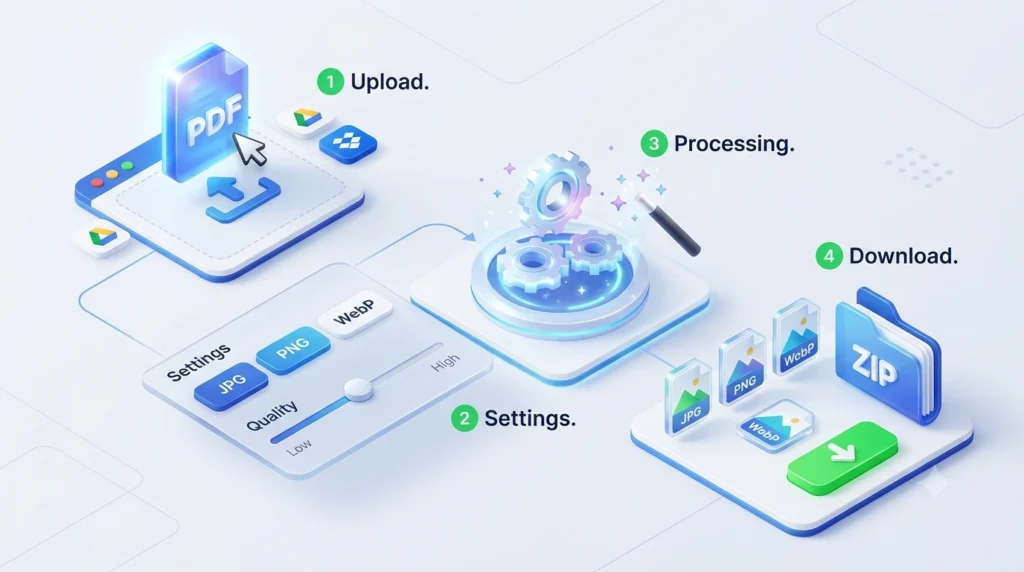
Begin by uploading your document using the “Select PDF Files” button, or import directly from Google Drive or Dropbox. Once your file loads, click the floating gear icon to access the settings panel. Here, you can carefully select your desired output format, such as JPG, and adjust the resolution scale.
After finalizing these settings, simply click the “Convert to Images” button at the bottom. The tool immediately processes every page individually while displaying a live progress bar. Once finished, a grid displays your new image cards. You can then rename files, open the editor for graphical adjustments, or simply click download.
🖼️ Choose JPG, PNG, or WebP Formats
Different digital web projects require different picture formats. Our PDF to Image utility allows you to select exactly what you need. When you convert PDF to JPG online, you receive a compressed file ideal for most standard website usage. Converting to PNG provides a lossless graphic, preserving sharp text. Developers frequently choose WebP because it delivers excellent compression and superior quality. This creates lightweight files that load very fast on mobile networks.
📐 Set Optimal Resolution and Image Quality
Resolution determines the truly ultimate sharpness of your exported files. By adjusting the scale modifier, you control the internal rendering dimensions of your document. Higher scale options capture finer details found in architectural diagrams. You can also dictate final output percentage using the image quality slider. Lowering this setting creates much smaller file sizes. Remember that output quality heavily depends on the source document characteristics; a low-resolution original will not magically improve.
📚 Multi-Page Document Conversion Explained
This highly capable free PDF conversion application seamlessly handles all multi-page document conversions. When you upload a comprehensive manual, the system intelligently separates and renders every single page sequentially. A dedicated grid displays all your converted results visually. You can review these items individually and apply a custom filename to keep exports organised . If you only need a specific chapter beforehand, utilising a Split PDF tool could save memory and time.
✂️ Edit Images Before Downloading Them
A unique advantage of this PDF converter is also the built-in image editor. Sometimes a converted page contains unwanted margins or requires visual correction before final distribution. You can click the pen icon beside any generated result to open a comprehensive editing interface. The intuitive crop tool lets you isolate specific paragraphs, while the rotate function fixes upside-down scans instantly. This saves time by eliminating extra standalone graphics software.
🎨 Adjust Brightness, Contrast, and Annotations
It drives us crazy when you spend ten minutes formatting a file, only to hit a surprise paywall at the last step. We do not pull those kinds of tricks here. This entire PDF to image platform is completely free to use. We don’t cap your daily uploads, we don’t ask for your credit card, and we never slap ugly watermarks over your hard work. You get premium-level document conversion without spending a single dime.
©️ Apply Watermarks and Grayscale Filters
Protecting valuable intellectual property is essential when distributing sensitive proprietary reports. The settings panel allows you to overlay custom watermark text directly onto every output file. Additionally, selecting the grayscale option converts all document colours into shades of grey. This is useful when preparing pictures for older printers or attempting to reduce visual distraction. Both features are applied dynamically during the initial generation phase, giving you customised results instantly without complicated configuration.
🔏 Process Password-Protected PDF Files
Many very important financial statements and legal contracts are locked with encryption passwords for safety. If you attempt to process a locked file, the system will pause and prompt you for correct credentials. Simply enter the known phrase into the designated password field within the settings menu. Assuming the password is accurate, the tool unlocks the content locally and extracts the pages. This localised unlocking prevents unnecessary software downloads or other complex workarounds.
🛡️ Browser-Based Processing and Local Privacy
Unlike platforms that upload highly sensitive documents to remote servers, our image converter utilises client-side architecture. Your files are analyzed and processed entirely within your local browser environment. Because data never transmits to external web servers, browser-based processing can reduce the need to upload documents remotely. All rendering executes securely using your own device hardware. This approach ensures your confidential business information remains strictly local during the entire local extraction process.
📦 Download Multiple Images as a ZIP
Generating dozens of distinct pictures from a massive catalogue can make downloading very tedious. To simplify file management, this powerful digital converter includes a select-all function alongside a compressed archive option. You can highlight all relevant frames and download them simultaneously. The system packages your selections into a single organized ZIP file. This method prevents unnecessary browser clutter and ensures your converted files remain neatly grouped together on your local storage.
📦 Download Multiple Images as a ZIP
Generating dozens of distinct pictures from a massive catalogue can make downloading very tedious. To simplify file management, this powerful digital converter includes a select-all function alongside a compressed archive option. You can highlight all relevant frames and download them simultaneously. The system packages your selections into a single organized ZIP file. This method prevents unnecessary browser clutter and ensures your converted files remain neatly grouped together on your local storage.
❓ Common Questions About the PDF to Image Converter
❓ FAQ. Convert PDFs on Mobile Devices?
Ans. Because this fast web utility relies on modern browser technologies, it functions beautifully across mobile devices. You do not need to install heavy application packages to extract document pages on the go. Whether you use a smartphone or tablet, the responsive interface allows you to upload, edit, and download graphics seamlessly. For users needing the reverse operation while travelling, our Text to PDF tool works just as efficiently on mobile platforms.
❓ FAQ: Are Exact Original Qualities Guaranteed?
Ans. While this PDF to Image tool utilises highly advanced algorithms, output quality depends on the original PDF rendering, selected resolution, image quality setting, and source document characteristics. We do not promise zero quality loss, as converting vector documents into rasterised graphics naturally involves some data compression. However, setting the scale multiplier to its highest value and choosing PNG format yields the sharpest output for demanding visual presentations. Large files require more browser memory.
🎯 Start Converting Your Documents Today
Transforming your documents into accessible graphic files has never been more straightforward. Whether you prepare a web presentation, share a specific visual snippet, or extract technical diagrams, this PDF to Image converter provides all the necessary tools. Take advantage of the built-in editor, flexible format options, and private browser-based processing to manage files efficiently. Select your documents above to begin turning your pages into high-quality visual assets right now without any limitations.
🔗 Supercharge Your Workflow with Advanced Document Utilities
Transforming your pages into images is just the beginning. When you demand total control over your digital assets, our complete suite of document management tools is ready to perform. If massive documents are slowing you down, deploy our Compress PDF utility to drastically slash file sizes without sacrificing quality. Need to isolate critical information? Execute the Split PDF or PDF Page Remover functions to carve out exactly what you need with pinpoint precision. Round out your toolkit with our Text to PDF and Crop PDF features to effortlessly command, customise, and optimise your entire digital library.